Topaz Photo AI
Alternative for Archviz
The Challenge
Topaz Photo AI is a popular general-purpose AI enhancer that combines noise reduction, sharpening, and upscaling. It works well for photography—but for archviz professionals, Topaz falls short in critical ways. The general-purpose AI models aren't trained on 3D renders, the slider-based interface requires testing multiple settings per image, and the aggressive sharpening often produces results too harsh for Photoshop post-production.
Why vaethat Is the Better Alternative
vaethat is the archviz-specific alternative to Topaz Photo AI. Instead of adjusting noise, sharpening, and upscaling sliders for every image, you upload your render, choose 2x or 4x, and get consistent results optimized for architectural visualization. No trial-and-error, no wasted time testing settings, no credits spent on unusable results.
Where Topaz over-sharpens photos generically, vaethat delivers AI-powered rendering enhancement tuned for archviz materials and lighting.
See the difference
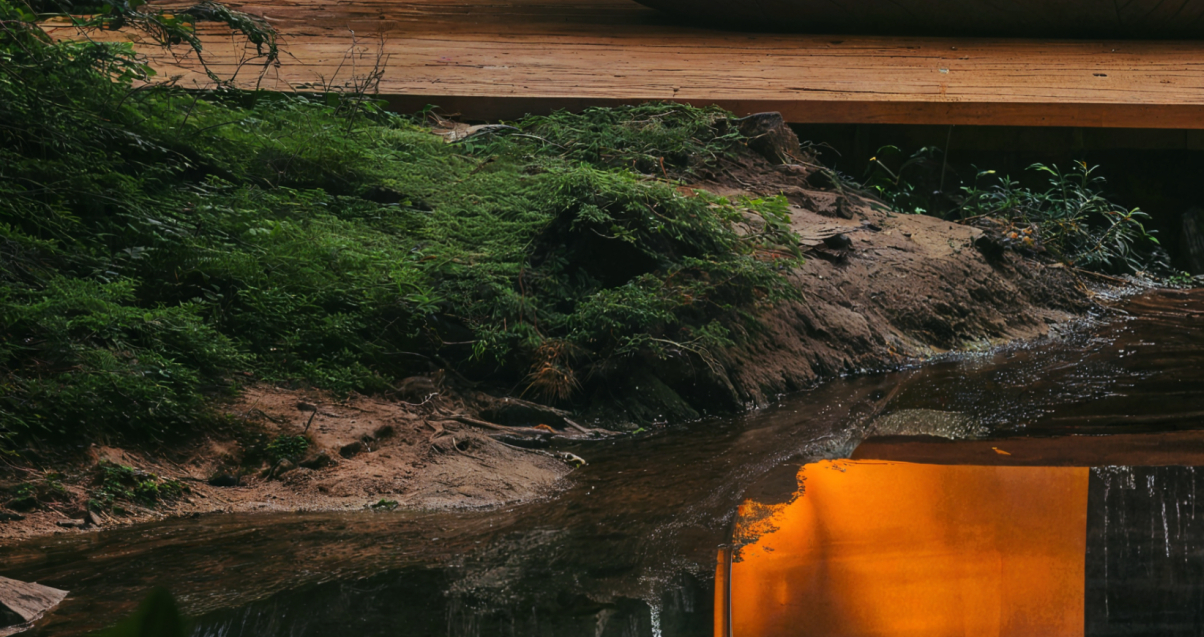
Drag the slider to compare Topaz Photo AI and vaethat on the same archviz render.
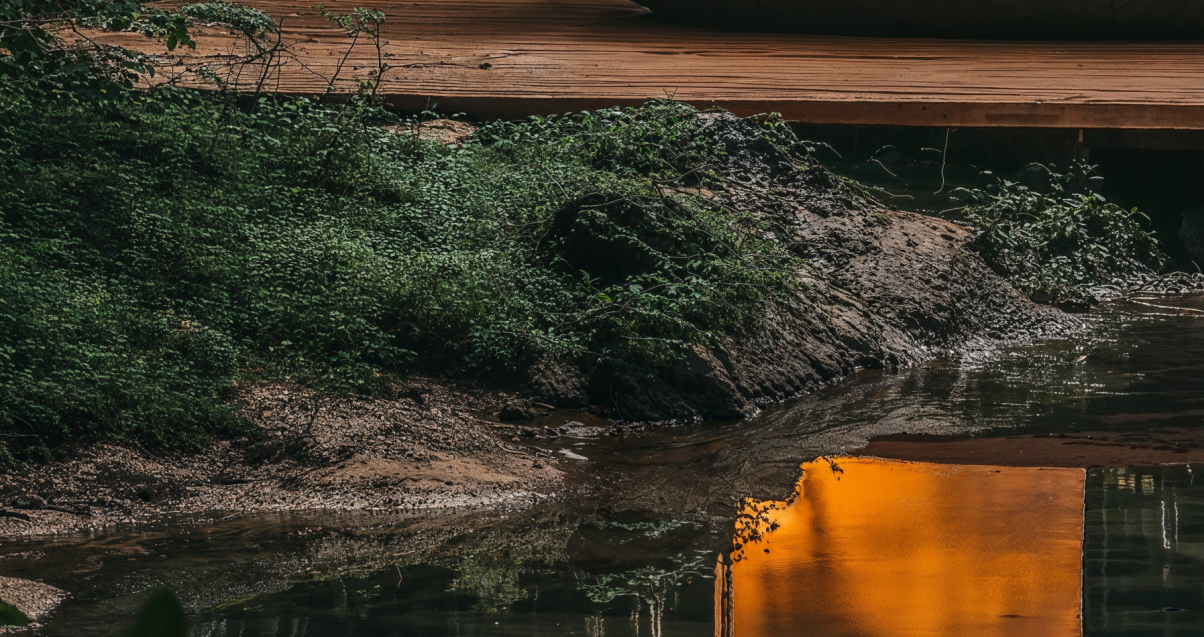
Topaz Photo AI
Same archviz render. Topaz adds too much sharpening: edges get harsh and materials lose their natural feel. vaethat keeps it natural.
vaethat
Why Choose vaethat
The key difference is output quality for archviz workflows. Topaz over-sharpens 3D renders, creating unnatural edge artifacts and altered materials that require additional Photoshop work to tone down. vaethat produces natural, compositing-ready output that preserves your exact materials, lighting, and design intent—ready for professional post-production without fighting AI artifacts.
For archviz professionals who need consistent, predictable enhancement across project sets, vaethat's single mode and multi-image workspace deliver better results faster than Topaz's manual slider approach—at a more affordable price point for high-volume visualization work.
How It Works
Upload your image
Drop any render or AI-generated image into vaethat.
Choose 2x or 4x
One mode works for every render, so the size is the only choice. No prompts, no sliders.
Why vaethat for Topaz Photo AI
Unlike Topaz, vaethat is built specifically for architectural visualization—no prompts, no sliders. Upload your render, choose 2x or 4x, and get consistent results designed for easy Photoshop post-production. vaethat preserves your original design intent while adding photorealistic detail.
Frequently Asked Questions
What is the difference between Topaz Photo AI and vaethat?
Topaz is a general photo enhancer requiring manual slider adjustments for each image. vaethat is purpose-built for archviz—upload, choose 2x or 4x, and get consistent results without testing. vaethat also produces natural output ready for Photoshop, while Topaz often over-sharpens.
Does Topaz Photo AI preserve my architectural design?
Topaz Photo AI is trained on photographs, not 3D renders. It may alter materials, lighting, and architectural details in ways that change your design. vaethat is trained specifically on archviz to preserve your exact design intent.
Which is better for professional archviz deliverables?
vaethat produces cleaner, more natural results that integrate seamlessly into Photoshop post-production workflows. Topaz's aggressive sharpening often requires additional work to tone down for professional presentations.
Is vaethat easier to use than Topaz Photo AI?
Yes. vaethat's single mode eliminates the need for slider adjustments. Upload your render, choose 2x or 4x, and get consistent results every time—no trial and error required.